Tagxedo is
another word cloud generator, one with even more bells &
whistles. Like
Wordle, the program counts the number of times a word is used. The more it is used, the larger it appears in the graphic. Small words like "a" and "the" are not counted. Both Worlde and Tagxedo can make word clouds from text or websites. I prefer
Tagxedo for the images it creates, but for analyzing
the message of a literary work,
Wordle actually works better.
See my previous post about Wordle.
Here's my
Tagxedo image of this blog.
Before we could use Tagxedo on our Macs, I had to install
Silverlight. Tagxedo provides a link for this installation. Similar to
Flash,
Silverlight allows the interactive display to function. I've never
needed Silverlight before, and this took a bit of time, but it was easy.
By the way, don't even think about running Wordle or Tagxedo on on Mac
OS 10.3. Our lab has 12 machines with 10.6 "Snow Leopard." The other 18
have 10.3, so my students take turns using the newer machines. We don't
have any "Tiger" machines anymore, so I can't say if Tagxedo will run on
10.4. Perhaps one of my readers can tell me. I believe you need to
install before you can properly view this embedded version.
Here's an article about embedding Tagxedo on your web page.
The print function in Tagxedo allows you to save it as a PNG
or JPG. The graphic above is a PNG. I was curious about which format is better for this type of thing. I found a very clear
explanation on Inverse Karma, the blog of software engineer Ganesh Prasannah. I chose PNG based on his suggestion that if the image contains text and hard lines, PNG is better than JPG.
I ask my students to save their work and turn it in to my digital turn-in tray--a "write only" folder on our server. Not only does that allow us to have a paperless classroom, it gives us the option to add the image to a web page, make a slide show, or print in color when I get the color printer working. Both Wordle and Tagxedo have public galleries for you to share your artwork. Be advised that not there may be graphics in the gallery that are not appropriate for the classroom.
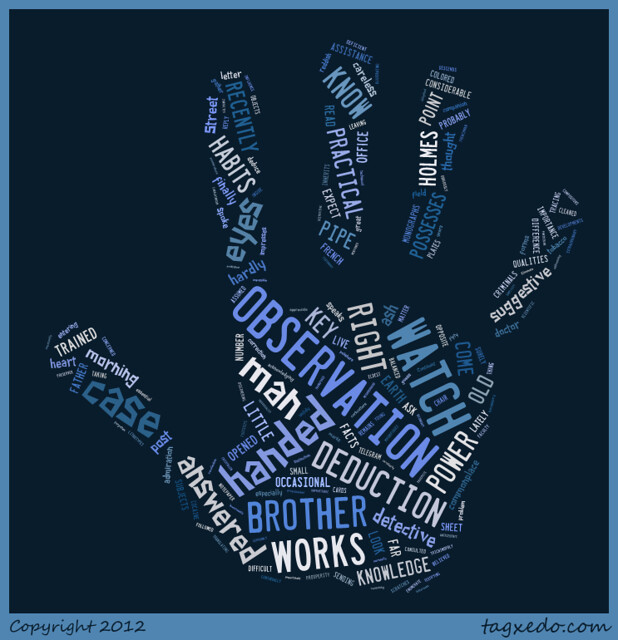
Tagxedo has more fonts, allows you to use more than 1 font on your word cloud, and offers more controls in layout. It's best known for pouring that word cloud into a shape, like the one below. This is part of the first chapter from my favorite Sherlock Holmes story,
The Sign of Four. Cool!